In This Article

In some cases, users need to find the contract address of a specific token. The reasons may vary: the token is not displayed in the wallet and needs to be imported there, or the user wants to purchase the token on a decentralized exchange (DEX). In addition, knowing the token’s contract address allows you to view various token-related information in the blockchain. In this article, we will describe in detail how to find a token’s smart contract address without falling for scammers’ tricks or purchasing a counterfeit token.
Remember that when purchasing tokens on decentralized exchanges, you must be 100% sure that you are using the correct smart contract of the desired token, so as not to purchase a counterfeit token. Never use token contracts that are published on social media, even if the channel or chat is official.
1. Use well-known services
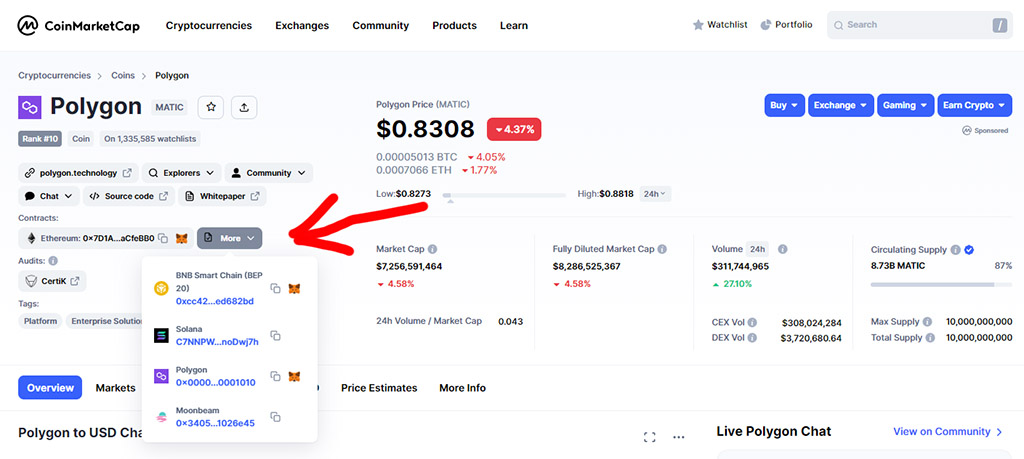
This method is the simplest, but it won’t work for finding the smart contract of any token. If the token is fairly well known, it is most likely listed in the databases of services such as CoinMarketCap and CoinGecko. Simply find the token there and take the required contract from its description page.
Example with the MATIC token on CoinMarketCap:
Example with the AURORA token on CoinGecko:
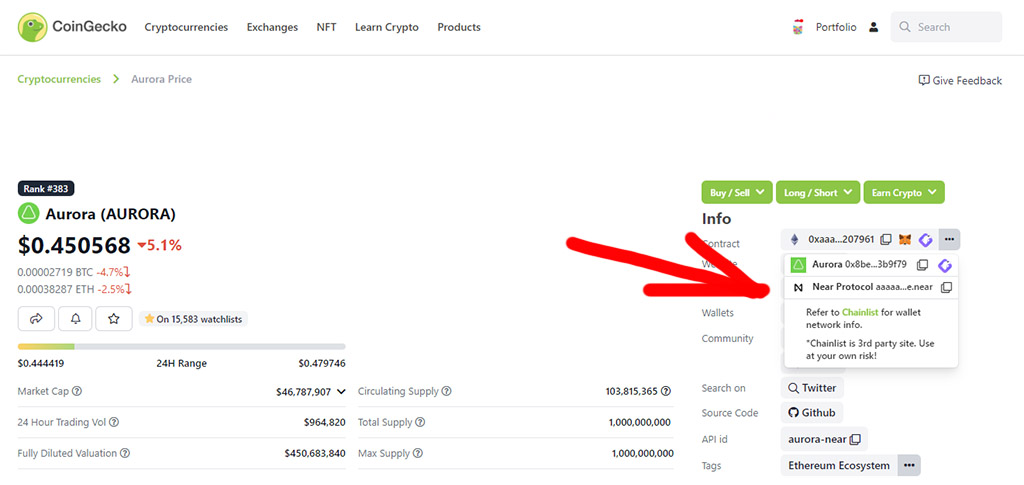
In some cases, you will need both services, since each one individually may contain incomplete information and may be missing contracts in certain networks, if the token exists in more than one network.
2. The project’s official website
This method is less convenient and may take considerably more of your time, but it is the safest and will allow you to find the contract address of any existing token. Every token or cryptocurrency has official websites containing all the necessary information.
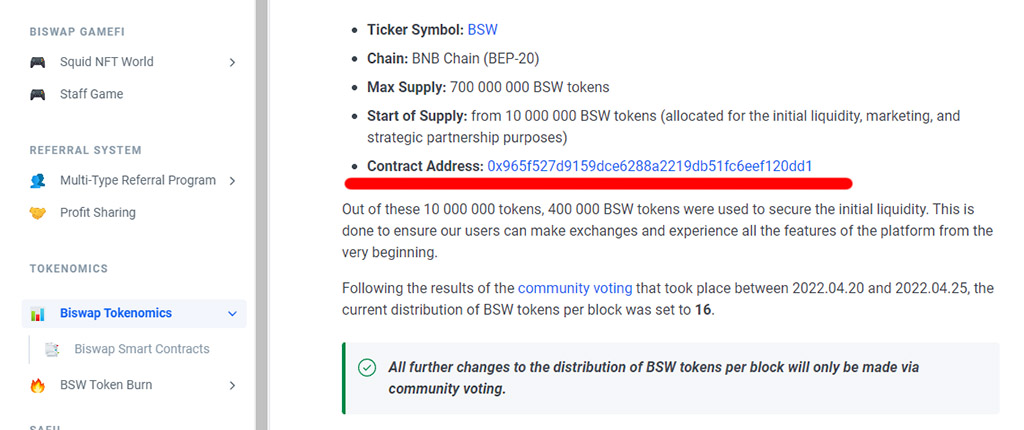
Most often, the token contract address is published in the project’s documentation (Docs) or in the project’s white paper (WhitePaper).
Example with the BSW token of the decentralized exchange Biswap:
3. How to find the contract of a token that is in your wallet?
In some cases, you need to find the contract of a token that is already in your wallet. For example, if you received the token through an airdrop or other activity. The token may not be displayed in the wallet, and you will need to import it in order to sell it or send it to another wallet.
Never try to purchase such tokens or connect your wallet to websites if you are not sure the tokens are genuine. Scammers quite often send counterfeit tokens to users’ wallets to prompt them into certain actions.
If you are 100% sure that the token in your wallet is genuine and you need to find its smart contract, you will need a block explorer for the network in which the token is held in your wallet. Each network has its own block explorers, here are a few examples for popular networks:
- Ethereum – https://etherscan.io/
- BNB Chain – https://bscscan.com/
- Polygon – https://polygonscan.com/
- Fantom – https://ftmscan.com/
- Avalanche – https://snowtrace.io/
Example with the NMX token of the decentralized exchange Nomiswap on the BNB Chain network:
1. Go to the BSCScan block explorer (for the BNB Chain network) and enter your wallet address in the search bar:
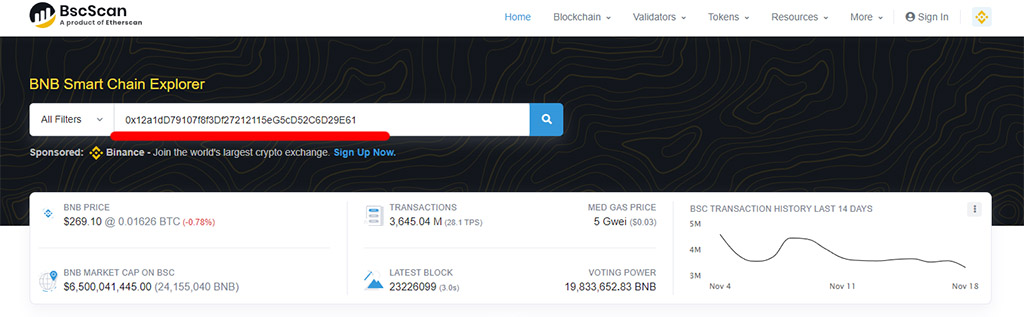
2. Click BEP-20 Token Txns if you want to find the contract address of a regular token, or click ERC-721 Token Txns if you want to find the contract address of an NFT token:
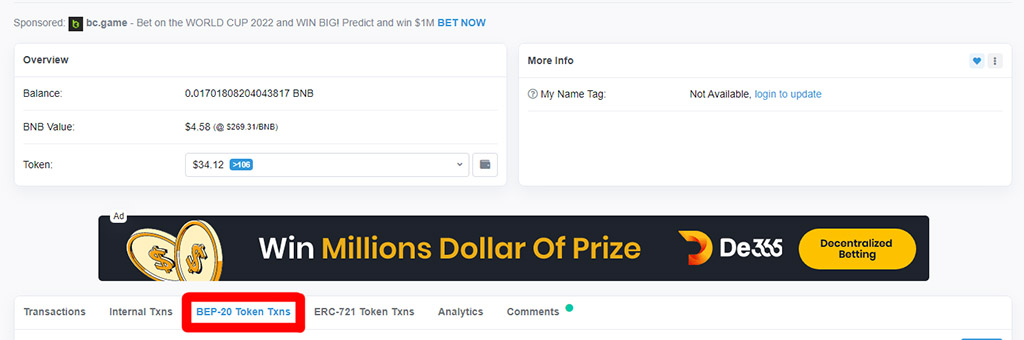
3. The list will show all incoming and outgoing token transactions that took place in your wallet. Find the token you need and click on it:
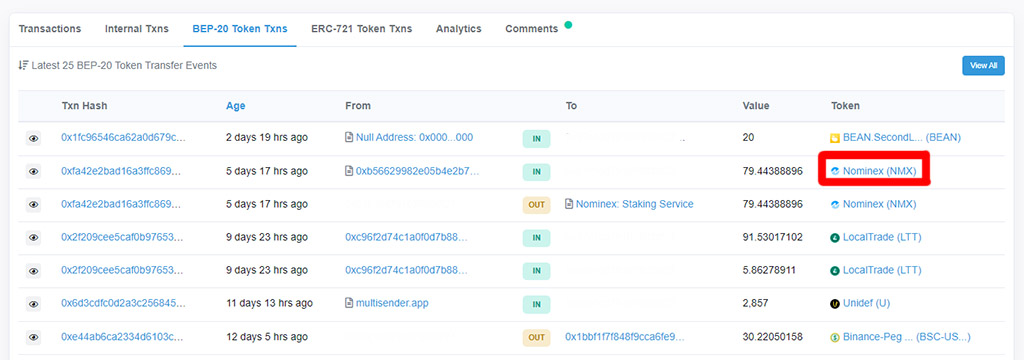
4. The page of the required token’s smart contract will open, where we can see its address:
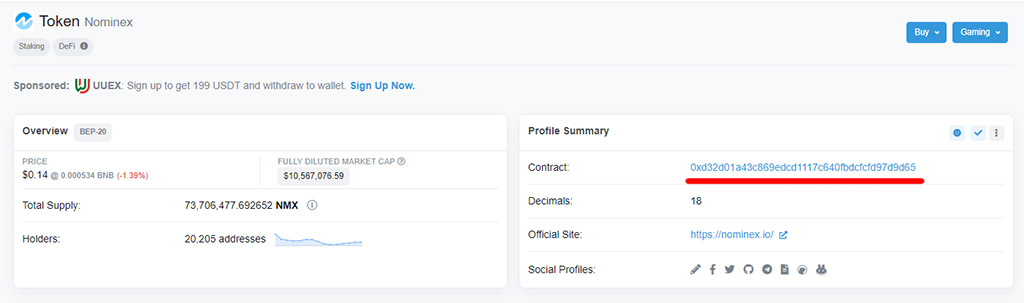
The process is the same for other networks and visually does not differ in any way, so there is no point in showing it separately.
Read also:
- Token Pocket — protecting your wallet when working with Web3 and NFT
- How to revoke approvals from your wallet?
Note: the inner link text for the second list item was translated while preserving the original href structure.